
Driver Job Offers
Offer work to the drivers who are actually free
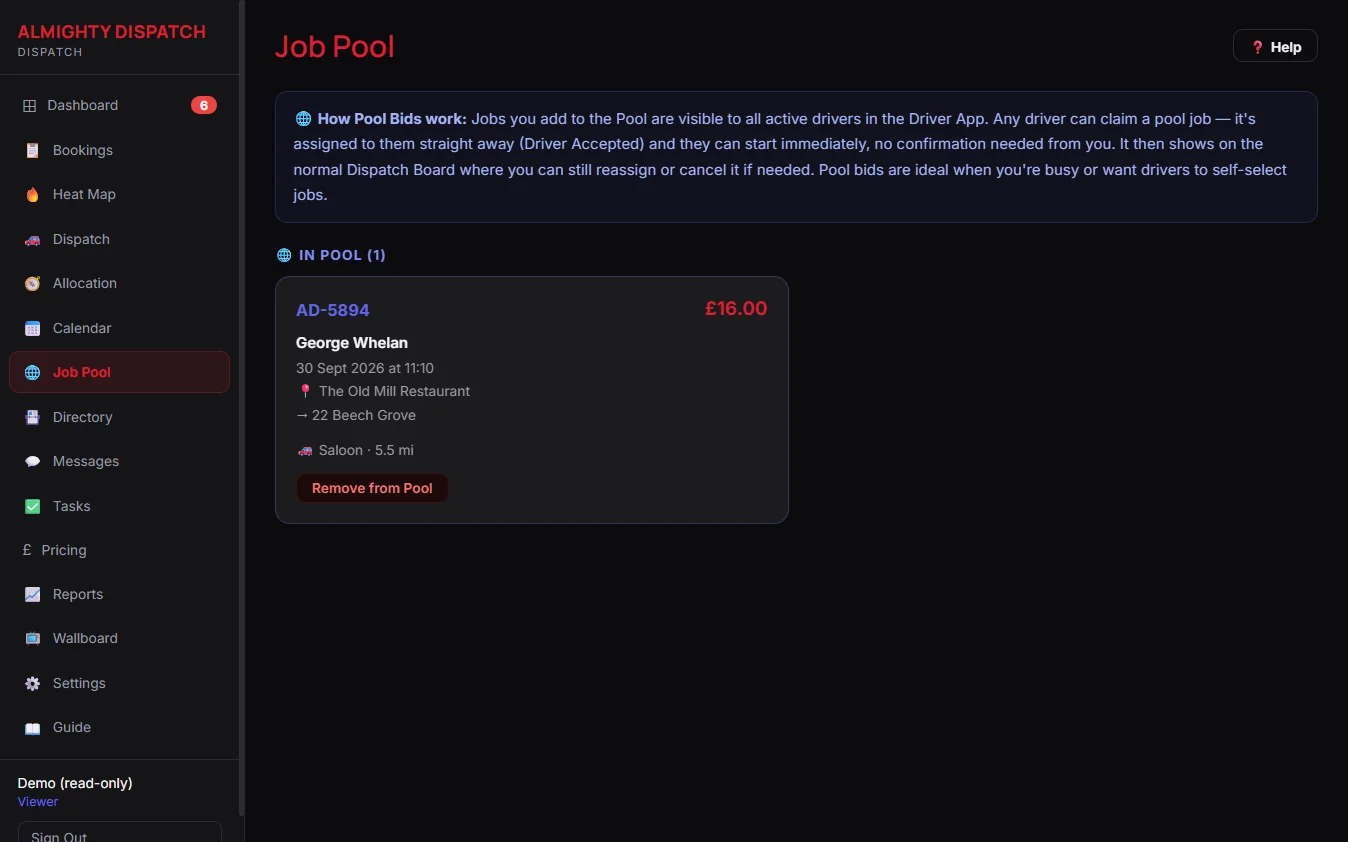
Publish a job to the pool and watch every response land in one place — no ringing round, and no wondering who has actually seen it.
· 7-day free trial· No long-term contract· Setup help on every plan
What this gives your office
01
Publish once, not one call at a time
Send a job to the Job Pool and every available driver can see it and claim it — the office is not ringing round a list hoping someone picks up.
02
Offers reach drivers where they already are
Job offers go out over WhatsApp, with an automatic SMS fallback if the WhatsApp send fails, so a driver without WhatsApp still gets the job.
03
Pool jobs stay inside the base that should cover them
Running more than one office? Job Pool can be scoped so a driver only sees pool jobs from their own base — on by default, and never locking anyone out entirely: an unassigned job or an unbased driver still sees everything.
What’s included
✓Job Pool — publish work for any available driver to claim
✓WhatsApp job offers to drivers, with SMS fallback
✓Job Pool restricted to a driver’s own base when you want it
✓Driver ratings and job-acceptance statistics
✓Job reminders sent before pickup
✓Operator confirms a claimed job before it becomes a real dispatch
Job offers, explained simply
Can more than one driver claim the same pool job?
A driver claiming it moves the job to “claimed, awaiting confirmation” — the office confirms before it becomes a real dispatch, so nothing gets double-booked.
How quickly do drivers find out about a new pool job?
Every available driver is notified the moment a job goes to the pool.
What happens if nobody claims a pool job?
It stays visible in the pool, open to available drivers, until someone claims it or the office assigns it directly.
More questions on subscribing or your own data — see the full FAQ.
Explore the connected areas
Taxi Dispatch Software
One live board for every job, from pool to completed.
Explore page →
Live Driver Tracking
Every driver’s position and status, live, from the office and the passenger’s own phone.
Explore page →
Zones & Geofencing
Draw the areas you actually cover and see live coverage against them.
Explore page →